

Creating fresh content for every platform, every day, is one of the fastest ways to exhaust a marketing team. The good news is that you do not have to. When you repurpose content, you take one strong idea and reshape it into multiple formats that suit different channels and audiences. The result is more output, more consistency and far less pressure to constantly start from scratch.
This guide explains how to choose what to repurpose, how to adapt it for each platform, and how to build a simple workflow that turns one piece of work into a week or more of posts.
Why you should repurpose content
Repurposing is not about being lazy or repetitive. It is about recognizing that most of your audience never sees everything you publish. A blog post that a handful of people read could reach many more as a short video, a carousel or a thread.
- Save time: the research and thinking are already done, so new formats come together faster.
- Reach new audiences: different people prefer different platforms and formats.
- Reinforce key messages: people often need to see an idea several times before it sticks.
- Extend the life of your best work: a useful idea can keep delivering value for months.
Choose the right content to repurpose
Not every piece is worth reworking. Start with content that has already proven itself or has clear depth.
Look at your top performers
Check your analytics for posts, articles and videos that received strong engagement, shares or clicks. If an idea resonated once, it is likely to resonate again in a new format.
Pick evergreen topics
Guides, how-tos, frameworks and answers to common customer questions stay relevant for a long time. Time-sensitive news is harder to reuse.
Favour long-form sources
Blog posts, webinars, podcasts, presentations and long videos contain many smaller ideas. One long piece can easily become ten or more social posts.
Understand what each platform needs
The key to repurposing well is adapting, not copying. Each platform has its own culture, format preferences and audience expectations.
- Instagram: visual carousels, Reels and eye-catching images with concise captions.
- TikTok: short, personable vertical videos with a strong hook and on-screen text.
- LinkedIn: professional insights, lessons learned and text posts with a clear point of view.
- X: short, punchy takes and threads that break an idea into steps.
- Facebook: community-focused posts, longer captions and shareable videos.
- YouTube: longer explainers, plus Shorts for quick highlights.
- Pinterest: vertical graphics that link back to useful, evergreen resources.
When you plan a repurposed post, ask: how would a regular user of this platform want to receive this idea?
It also helps to adjust length and pacing. A detailed paragraph that works well on LinkedIn may need to become three punchy lines on X, or a few seconds of on-screen text in a video. Keep the core message the same, but let the delivery change to suit the setting.
A simple workflow to repurpose content
A repeatable process turns repurposing from an occasional effort into a habit. Here is a straightforward version:
- Start with a pillar piece. Choose one substantial asset, such as a blog post or webinar.
- Pull out the key ideas. List every tip, example, quote from your team, story and step it contains.
- Match ideas to formats. Decide which ideas suit a carousel, a short video, a quote graphic, a thread or a text post.
- Create in batches. Produce all the visuals in one session and write all the captions in another.
- Schedule across a few weeks. Spread the posts out so the idea appears repeatedly without feeling repetitive.
- Review and refine. Check which versions performed best and use that insight for your next pillar piece.
A social media content calendar is the perfect place to map this out, so you can see how each pillar piece spreads across channels and dates.
Practical repurposing examples
To make this concrete, here is how a single how-to blog post might be reshaped:
- A carousel that summarizes the steps, one slide per step.
- A short vertical video demonstrating the most surprising tip.
- A LinkedIn post sharing the lesson behind the article and why it matters.
- A thread that walks through the process in bite-sized points.
- A quote graphic highlighting a memorable line from the post.
- A question post asking your audience how they approach the same problem.
- A newsletter section linking back to the full article.
Webinars and podcasts work in a similar way: short clips become videos, key takeaways become carousels, and audience questions become standalone posts or new articles.
Tools that make repurposing easier
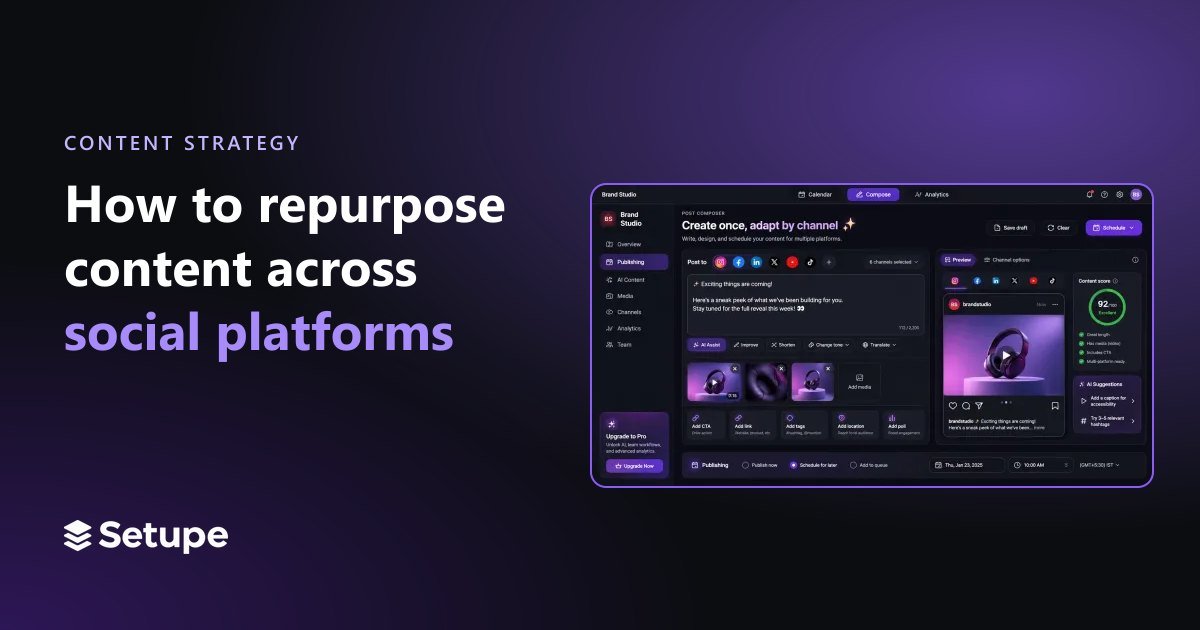
The right tools remove much of the manual work involved in adapting content. Setupe's post composer lets you write a post once and then tailor it for each channel, adjusting length, hashtags and format without starting again. Its AI captions, hashtags and images can help you produce variations quickly, while RSS scheduling can automatically turn new blog posts into scheduled social updates. Once everything is planned, the visual publishing calendar shows how each repurposed piece is spread across your channels.
Whatever tools you use, keep a simple library or spreadsheet of your pillar pieces and the posts created from them. It makes it easy to spot evergreen content ready for another round.
Frequently asked questions
Is repurposing content the same as reposting?
No. Reposting shares the same item again, while repurposing reshapes the idea into a new format suited to a specific platform and audience. Repurposed content should feel native wherever it appears.
How often can I reuse the same idea?
Quite often, as long as the format and angle change. Spread versions out over several weeks or months and keep an eye on engagement to make sure your audience is still interested.
What type of content is easiest to repurpose?
Long-form, evergreen content such as guides, webinars and podcasts is the easiest, because it contains many individual ideas that can stand on their own.
Make every idea work harder
When you repurpose content thoughtfully, one good idea can fuel weeks of posts across every platform. Start with your strongest material, adapt it to each channel's style, batch the work and schedule it out. You will publish more consistently while spending less time searching for something new to say.
Ready to turn your best ideas into posts for every channel? Create your Setupe account and start repurposing smarter.