
Built-in AI assistant
Ask in plain words. It knows your workspace and drafts posts, ideas and replies in your brand voice.
Connect Instagram, TikTok, LinkedIn and your other channels in one workspace. Let AI draft your posts, then plan, schedule and publish everything from one calendar.
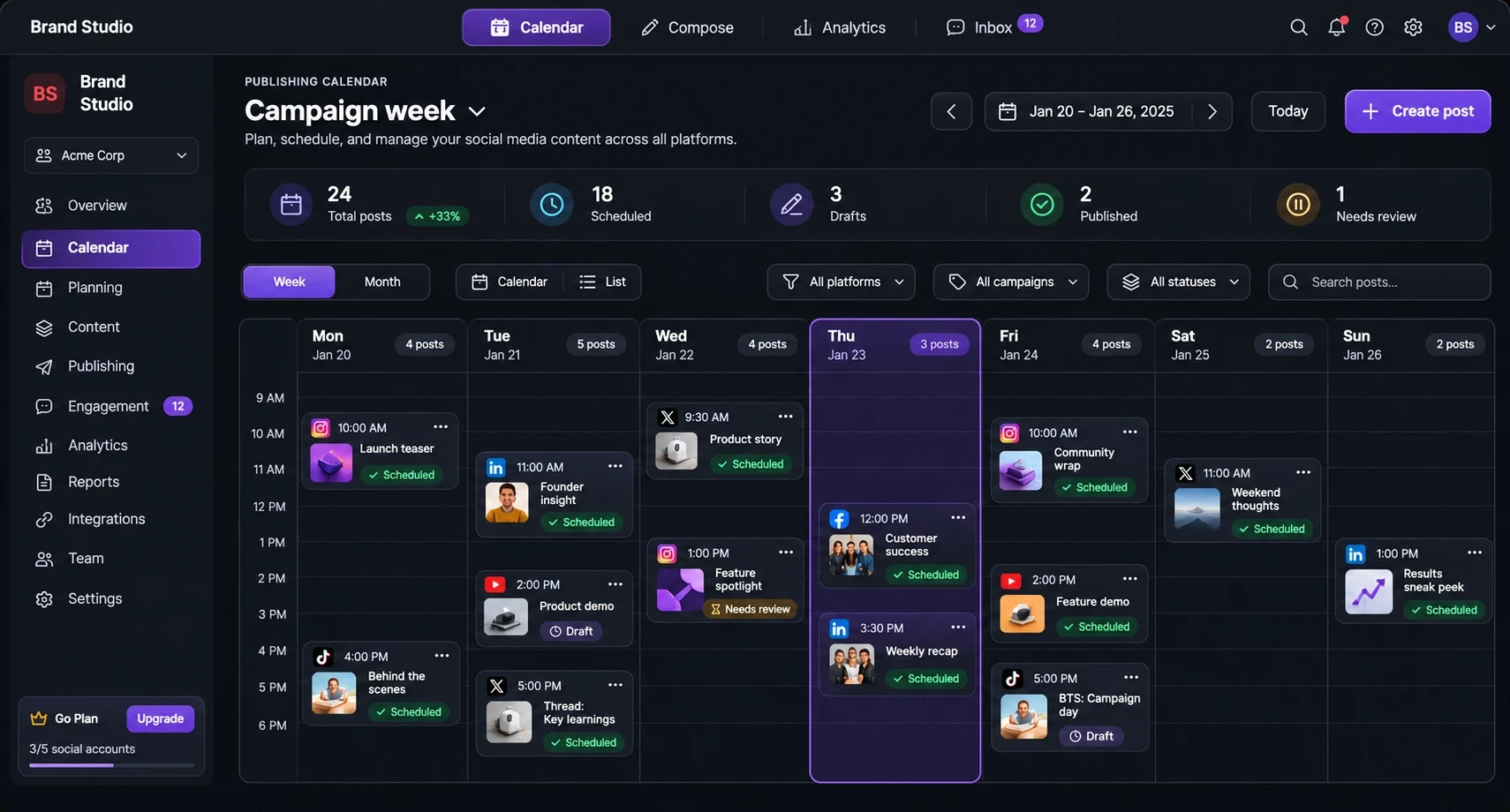
Publishing calendar
Launch teaser
Morning slot
Founder insight
Needs review
Product story
Afternoon slot
Behind the scenes
Video post
Community recap
Evening slot
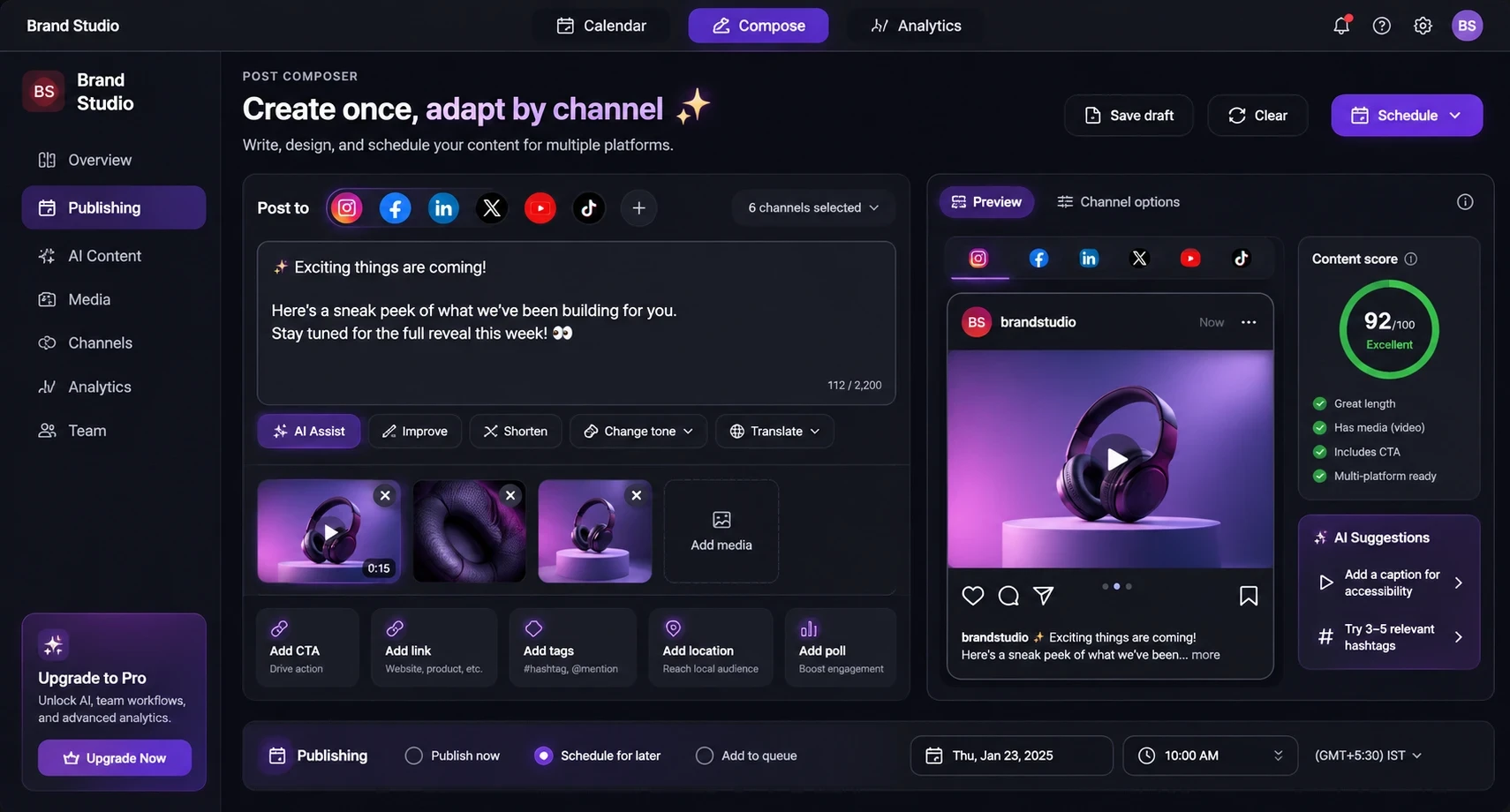
Post composer
Preview the post before it enters the schedule.
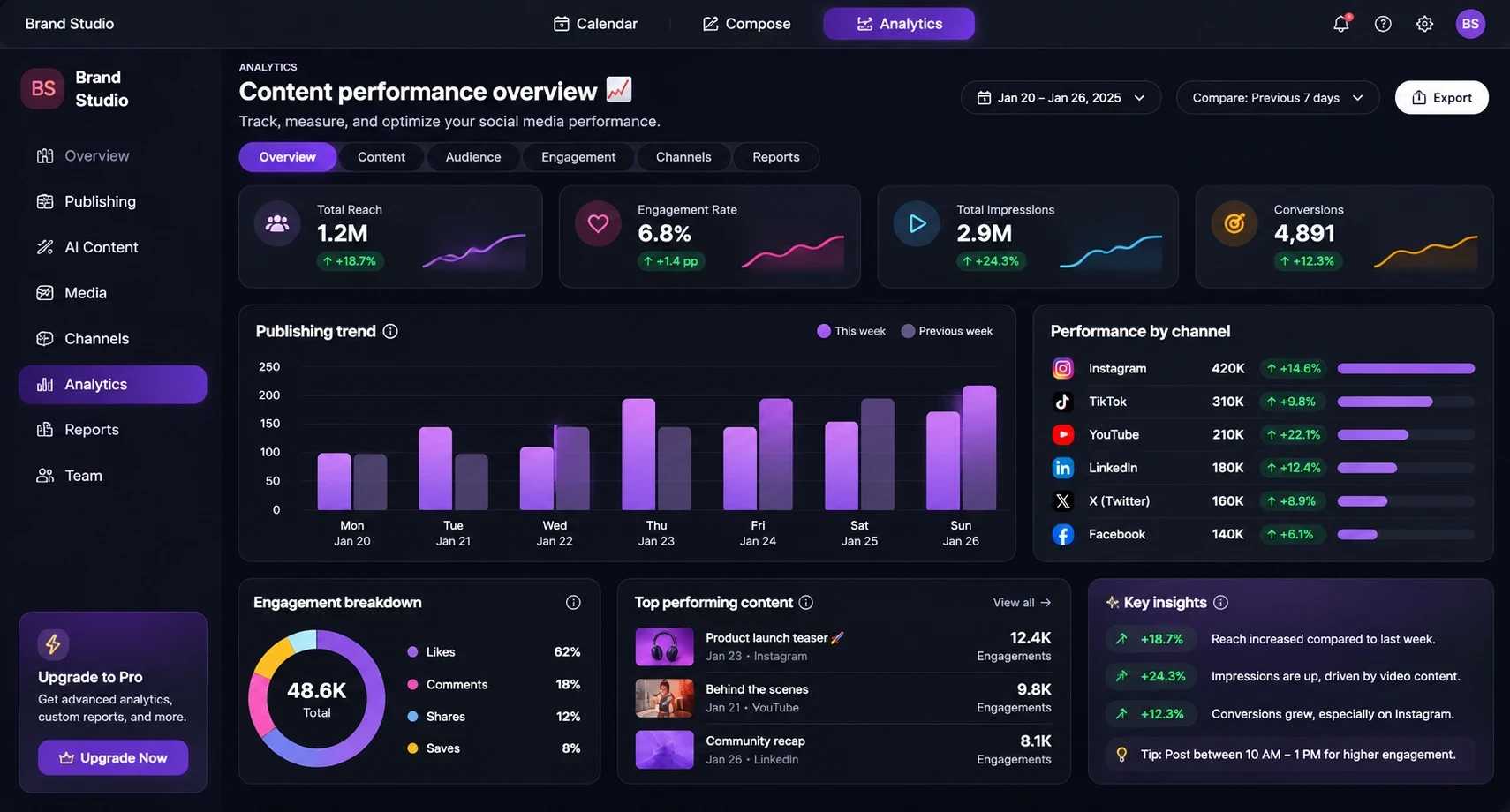
Analytics
Ask Setupe's assistant in plain words, or connect your own tools. Posts are drafted, scheduled and published on time, and every one stays on your calendar.
Ask in plain words. It knows your workspace and drafts posts, ideas and replies in your brand voice.
Create, schedule and publish posts from your own scripts and backends with secure API keys.
Get notified the moment a post is published or fails, to close the loop in your automations.
Connect Setupe to thousands of apps and trigger posts from forms, stores, sheets and more.
Let AI assistants that support the Model Context Protocol schedule posts and check results for you.
Plan, create, reply and measure from one workspace. Here is how a normal day in Setupe looks.
Every channel on one calendar. See drafts and scheduled posts side by side, and let Setupe suggest the best time to publish.
Write one post and tailor it for each network. AI helps you improve, shorten or change the tone in a click.
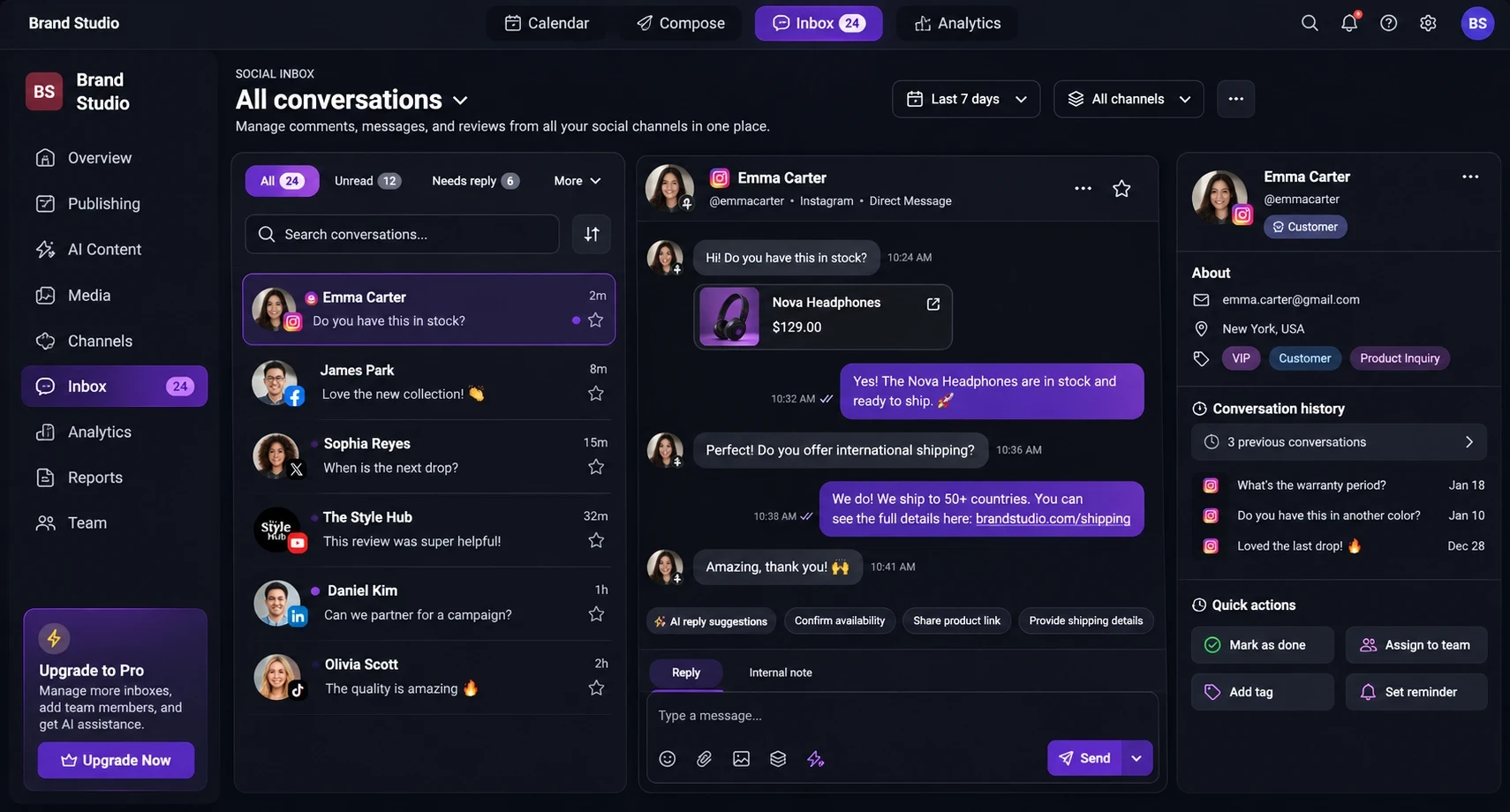
Answer customers from every connected account without switching apps. AI suggests replies so nobody waits.
Reach, engagement and conversions from every channel on one dashboard, down to the single post.
Stop juggling separate apps for scheduling, replies, AI writing and reports. Setupe brings them together.
Plan the whole week at a glance, with every channel on one calendar.
Comments and messages from your connected accounts land in one place, so nobody waits for a reply.
Set keyword rules and let AI draft on-brand replies to common questions, with a human hand-off when needed.
Never start from a blank page. Generate captions, images, videos and full campaign drafts in your brand voice.
See what works across channels, down to the single post, and share clean reports.
Build no-code workflows that write, approve and schedule posts for you.
Fill a whole month in minutes by uploading posts in bulk or turning RSS feeds into scheduled content.
Invite your team, group channels by client, and review posts before they go live.
Everything around the post: a link-in-bio page, short links, watermarks and a media library.
Spot what is working in your niche and keep an eye on competitors, so your next post rides the wave.
Turn one goal into a full content plan. The campaign wizard maps out posts, angles and dates for you.
Check every post before it goes live, with feedback on clarity, tone and length for each platform.
Plan the campaign once, prepare the right version for each destination, and keep publishing work visible in the same workspace.
Connect your accounts, create with AI, and let Setupe publish on time. Every post stays on your calendar.
Log in to your social accounts once. Setupe keeps the connections alive.
Write your post or let AI draft captions, images and hashtags for each platform.
Pick the best time and Setupe publishes automatically, on every channel.
Answer comments from one inbox and use analytics to plan what comes next.
Separate client workspaces, content calendars, connected profiles, and team responsibilities.
Keep campaigns, media, publishing, and performance reporting in one operating rhythm.
Move from content idea to a consistent multi-channel schedule with fewer repetitive steps.
Compare the current plan limits and included features before you choose a workspace.

Looking for the best time to post on social media? Get sensible starting points for every major platform, plus a simple met...

Learn how to create a social media content calendar in 7 simple steps, what to include in every post, and how to plan, sche...

Great social media captions turn scrollers into commenters. Learn a simple structure, practical writing tips and platform t...
Review the essentials, then compare plan details or contact the team for a workspace-specific question.
Plan the content, prepare channel-ready posts, publish through connected profiles, and learn from the analytics available to your workspace.
Scan to get started on Setupe

Monitored 24/7 by Cloudwatch24x7
View full status Before you go
Plan, create and publish to every channel from one calendar. Use this code at checkout.
Valid on all paid plans.